synthaccess
syn?a3ess
Accessibility tools for synthesizers and other audio technology
mainMIDItoSpeech
tactileSynthGuides
brailleOverlays
tactileModular
brailleOverlays
brlov}lays
Part of synthaccess
ABILITY Project / Integrated Design & Media
New York University
Files:
- README.md - this file
- synths - folder containing vector synth overlays with braille mappings
- img - folder containing example images
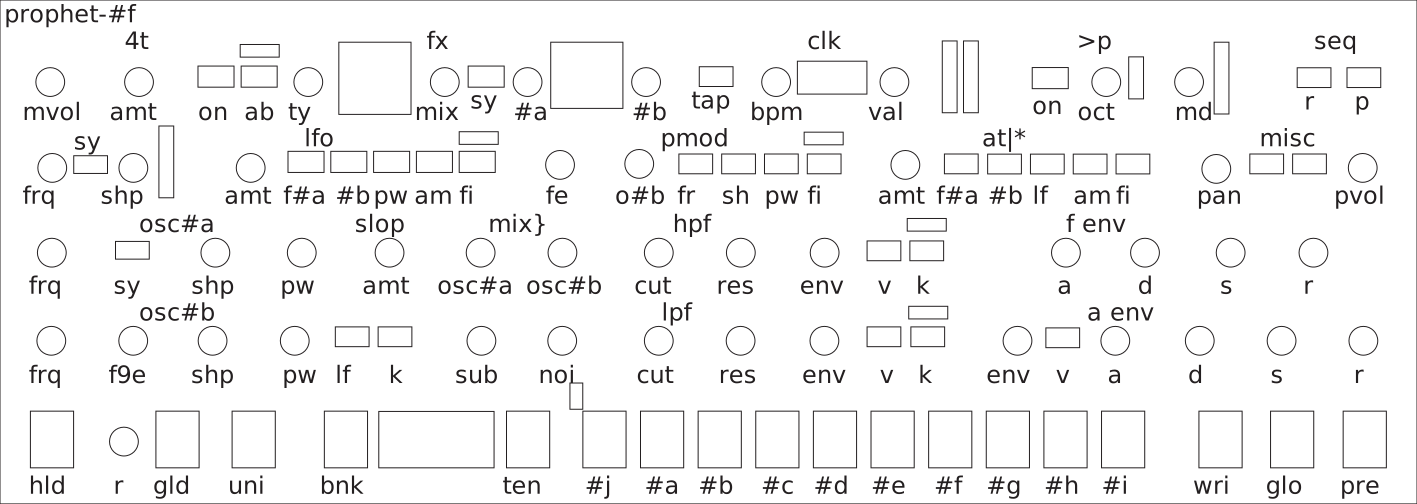
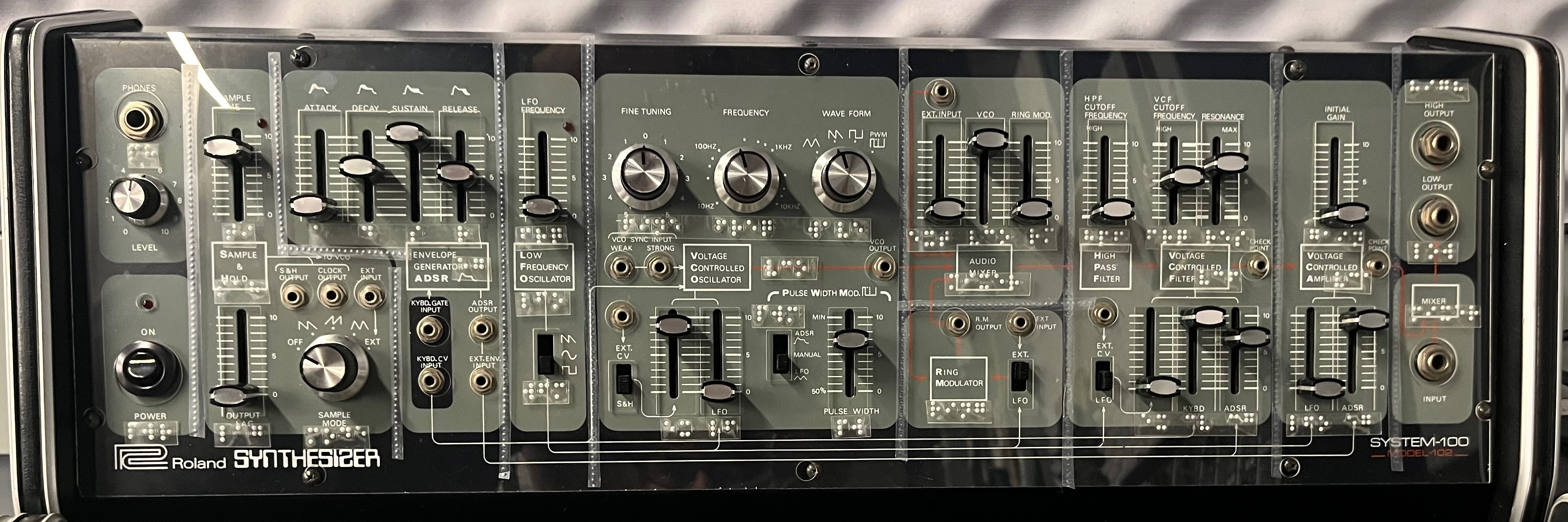
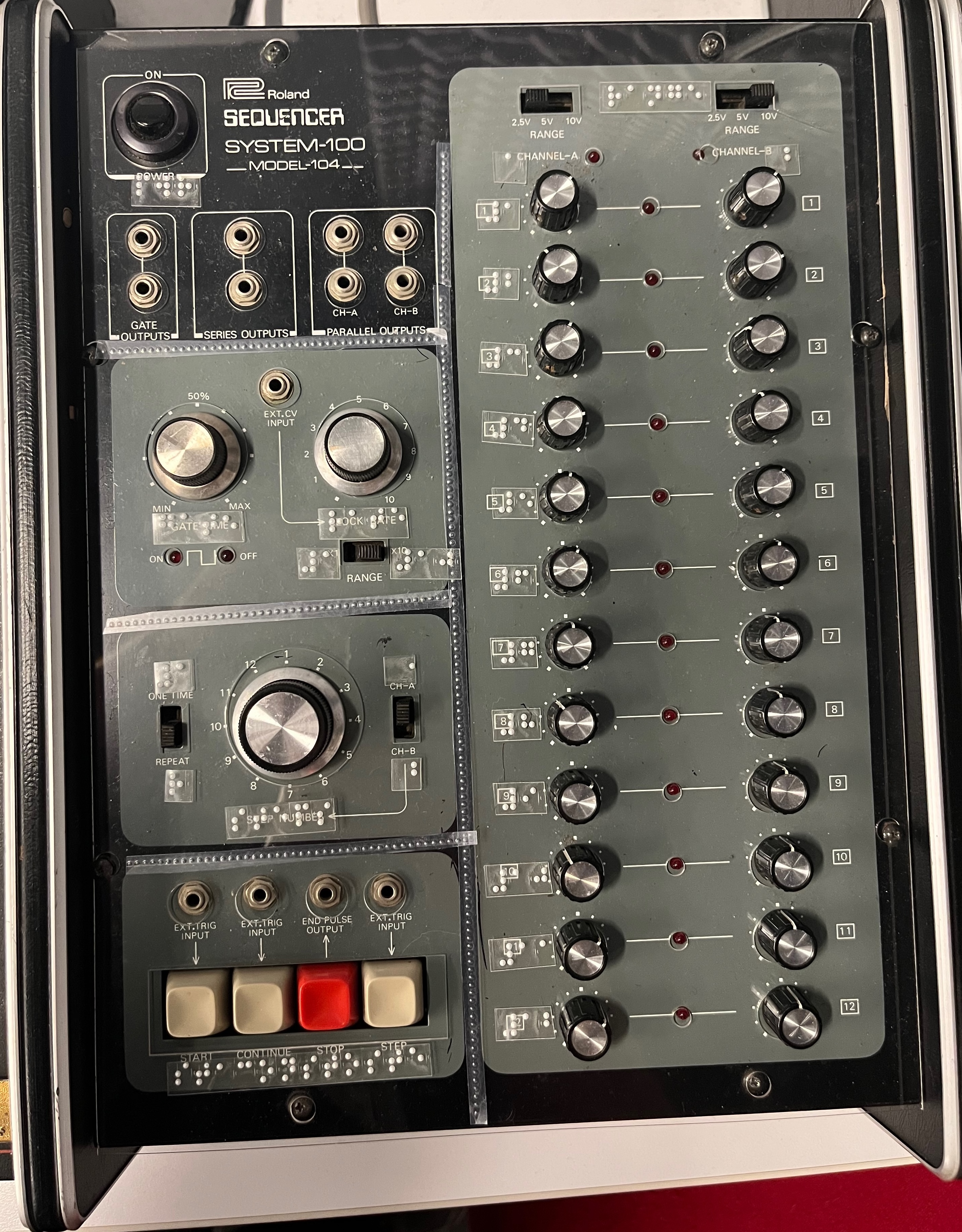
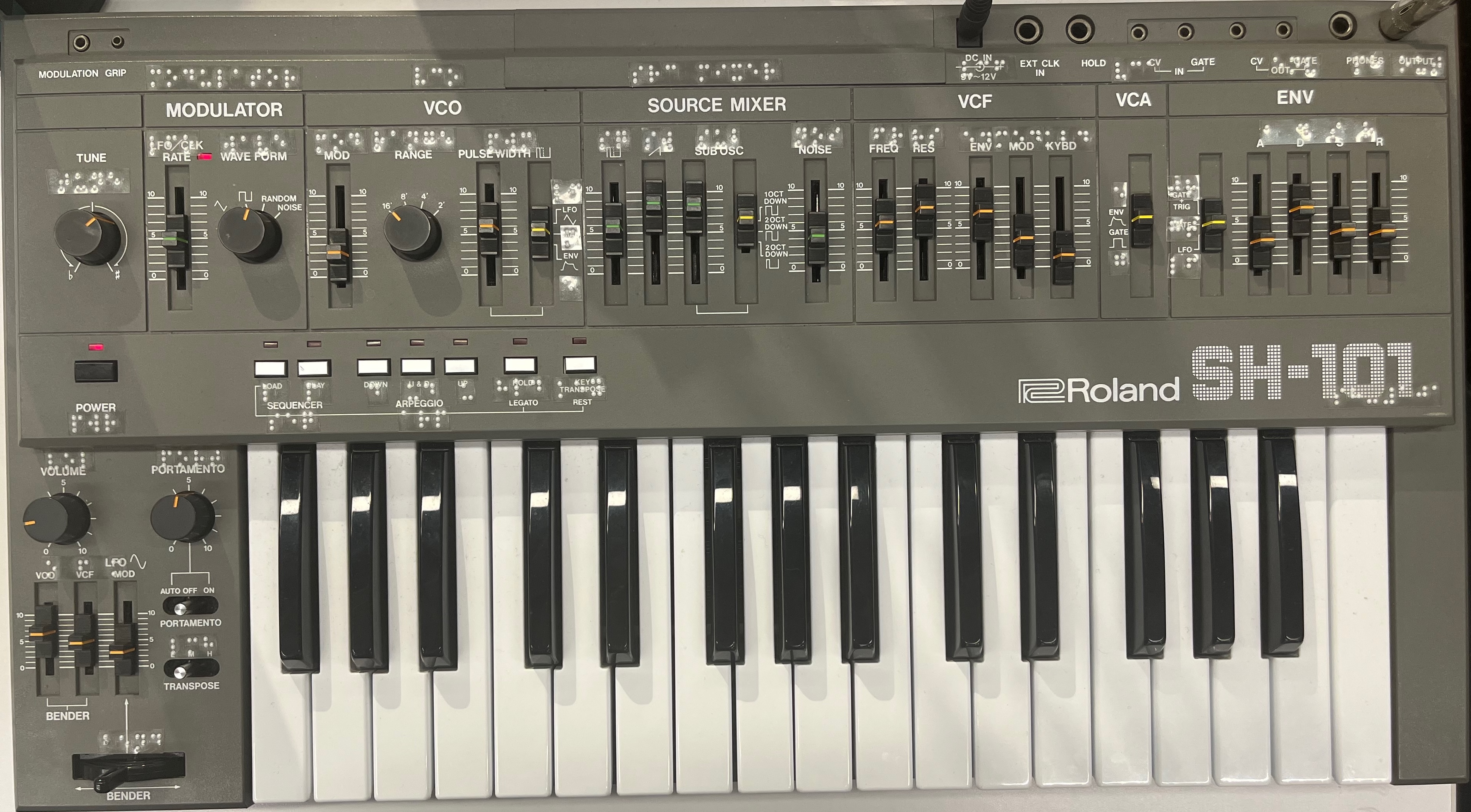
brailleOverlays is a set of design guidelines and examples for adding braille lettering to synthesizers.
Introduction
If your synthesizer is “one affordance per function”, one of the simplest and most effective ways to add tactile accessibility for Blind / Low Vision users is to label the synthesizer with braille. Below, we outline three methods (from simple and inexpensive to somewhat complex) for doing this.
Braille is a standard tactile writing system invented in 1824 that uses a two column by three row grid of six dots for each character. The braille system not only specifies the layout of these dots for each character in the writing system, but also defines the characters’ nominal dot sizing and spacing. In other words, there’s no such thing as “winging it” when it comes to your braille size. There’s just braille. With standard braille fonts, such as David Rakowski’s Braille TTF and Swell Braille, you can set your design software to 24 point and it will be within range. There are standard mappings for common writing systems across the world. Languages that use logographic writing systems (such as Chinese) will use a phonetic alphabet to create a braille mapping.
Grade (or Level) 1 braille defines a basic mapping for the alphabet, numbers, and punctuation. Grade 2 braille has contractions, leveraging context and unused characters to reduce common words, letter combinations, and syllables to fewer characters. Grade 1 braille is standardized by character set (e.g. the Roman alphabet versus Cyrillic), whereas Grade 2 braille is specific to the language being written (e.g. English vs. French). Free software such as BrailleBlaster can be used to convert text into braille that includes these Grade 2 contractions.
If you use Grade 2 braille, you can save space. For example, the phrase:
“Some little children adding 2+2 might count it as 22, not 4.”
can be converted using Grade 2 braille to:
This certainly saves space (46 characters instead of 61). However, a user who reads braille in a language other than English might not be able to read it.
Option #1: Braille tape
The simplest way to add braille to a synthesizer is to use a low cost braille labeller (such as this one) and some adhesive-backed labeling tape (such as this). You can then punch out braille labels and apply them directly to your synthesizer’s front panel. If you use clear labels, you can place the braille labels over the printed labels on the synthesizer. You can also create braille labels manually, using a braille stylus on dymo tape or any adhesive paper.
An alternative to this method is to print out sheets of braille on an embossing printer (such as this one) using sticker paper, which you then cut out and affix to the device. You can use BrailleBlaster and the Braille TTF typeface to experiment with this method.
Depending on the density of controls on your synthesizer, you may not be able to label everything (see mappings, below, on some ideas for shorthand). For synthesizers where it’s not practicable to create a braille label for every single affordance, you could consider labelling the section headings of different areas of the synth (oscillator, filter, mixer, etc.), and then create a tactile guide to cover the details.
Option #2: Labels on an overlay
While it’s great to add labels directly to your equipment, two issues might occur. First, the synthesizer surface might not take well to adhesive labels (for example, if the face plate on the synthesizer is powder-coated metal). Second, you might be worried about the labels damaging your synthesizer (for example, if you have a vintage equipment where adhesives might cause wear on the visual labels underneath).
A great solution for all of this is to cut a plexiglass overlay for your synthesizer, and then affix the braille to the overlay. You can often make these overlays simply if you have access to a laser cutter; you can use pre-cut plexiglass (we use 0.040” clear colorless acrylic) to make clear, thin sheets that can sit on top of the synthesizer’s face, with holes cut in place for switches, buttons, knobs, etc.
The best overlays have ample space for all of the affordances (knobs, switches, sliders, jacks) on the synthesizer, but can still be affixed to the synth face in an easy manner. One way to do this is to add cutout points for the front panel mounting screws and make those circles small enough that you can use the screws to mount the plexi overlay and secure it it to the synth. Additionally, potentiometers often have knobs or slider caps that can be removed, so the cutout can be narrower, as it only needs to accommodate the shaft of the pot.
To make an overlay, there are a bunch of options:
- Many commercial manufacturers provide line-art renderings of their front panels (on their websites, in PDF documentation, etc.) that can be imported into a vector design program (e.g. Inkscape, Adobe Illustrator, CorelDRAW) and traced over to make a laser cuttable overlay. You can also write the manufacturer’s support group and explain that you’re making an accessibility overlay for one of their synths and would love a reference CAD file to work from - there’s a good chance they’ll help you out.
- You can take a high resolution photograph of your synth and trace over it. Be careful for skewing / pincushioning artifacts from your camera not being face on with the synth.
- You can use a 3D scanning app (such as Polycam or 3D Scanner App) to make a scan of your synthesizer’s front panel and import it into 3D modelling software (such as Blender) that knows how to export a 2D vector slice of a 3D model. 2D vector software that knows how to create slices from 3D assets (Illustrator, Inkscape) can do this as well.
- If the synthesizer is reasonably small, you can place it face-down on a scanner (or a photocopier with a scanning function). You can then create a layer and draw cutouts for your overlay.
With any of these methods, we recommend doing a test cut first on cardboard to make sure everything fits properly. Once you’ve got your overlay fitted, you can add your braille adhesive labels and they should stick well. As an added bonus, you now have a protective cover for your synthesizer!
Option #3: UV Print the braille directly onto an overlay
If you’re going to create an overlay for your synth, you can UV print the braille (as well as dividers and any other tactile graphics) onto the acrylic directly by using a commercial UV flatbed printer. Commercial print shops will often have UV printing service; for example, in the USA, if a print shop advertises that they can do “ADA signage”, then you’re probably in the right place. There may be print services in your community that are able to do a full-service project - they will source the acrylic, laser cut the overlay, and do the braille printing all in one go. It’s our experience that many UV printers will typeset braille within their own software or work with design software customized for sign printing that knows how to typeset braille, such as Flexi Design.
Examples
The synthesizers we have created overlays for in the IDM Audio Lab are contained in the synths folder of this repository as layered SVG files.
- The ‘overlay’ layer contain the laserable cutout.
- The ‘braille’ layer contains braille labels in the Braille TTF font. These labels can be made with a braile labeler, printed using an embossing printer, or directly printed onto an overlay using a UV printer.
- The ‘dividers’ layer contains suggested dividers for different sections of the synthesizer. These can be made in a variety of ways; the simplest is to use the
a / ‘a’ letter on a braille labeller and then turn the tape to the correct orientation. As with the above, you can also directly print this onto an overlay using a UV printer.
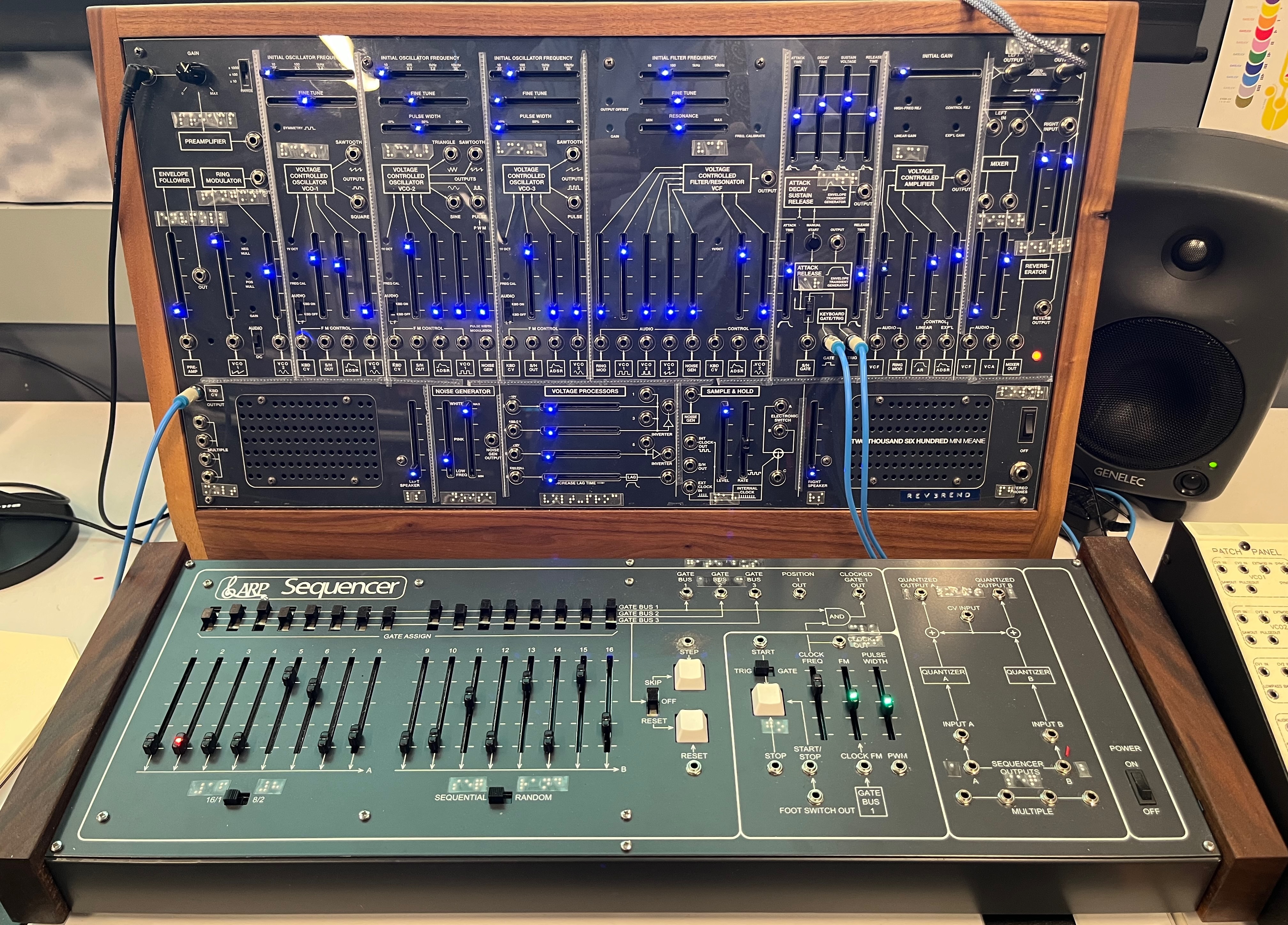
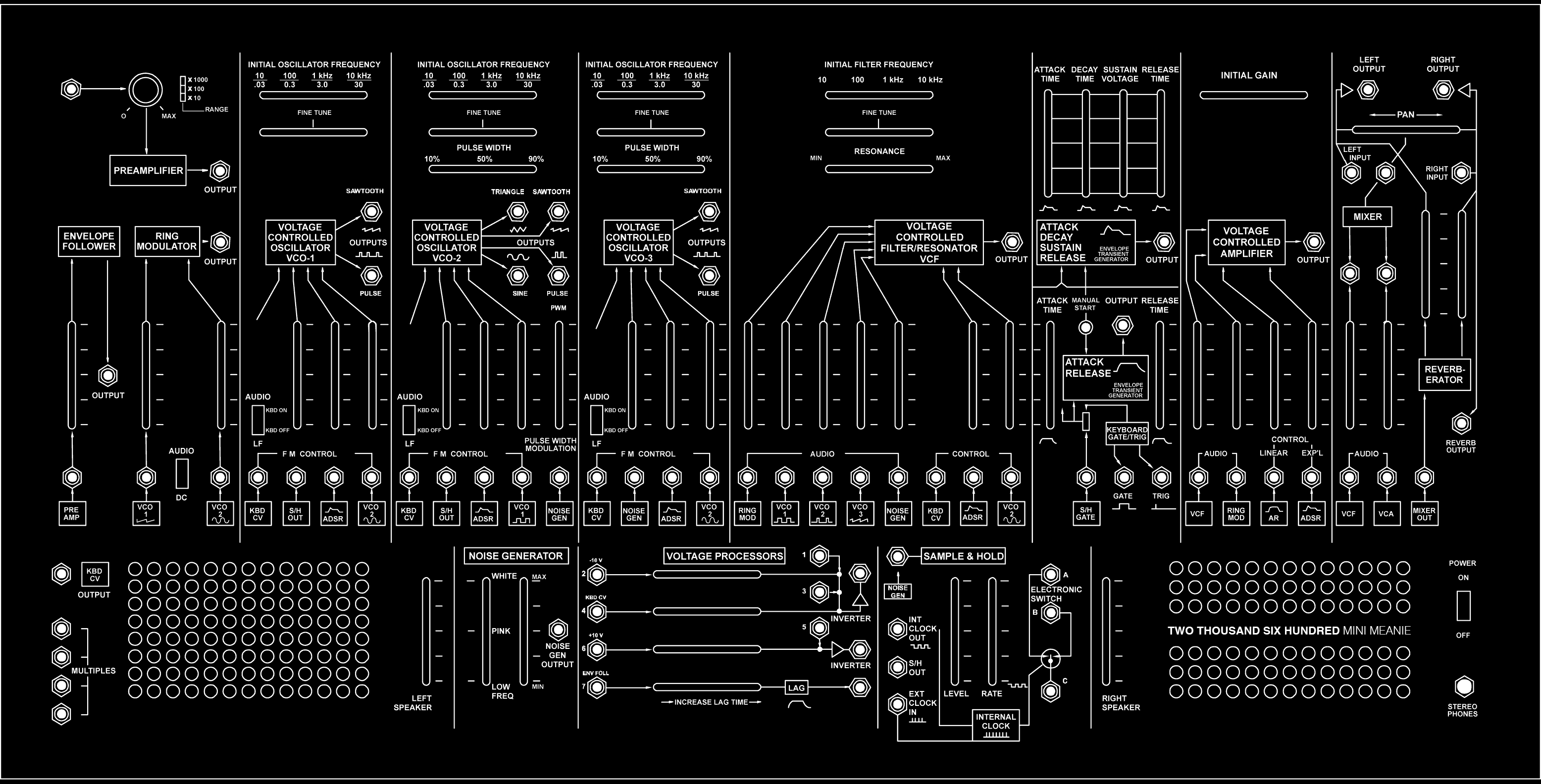
For example, here is the overlay developed by Moira Zhang for our TTSH (a DIY ARP 2600 clone, developed by Jon Nensén).
This image shows the front panel of the TTSH:
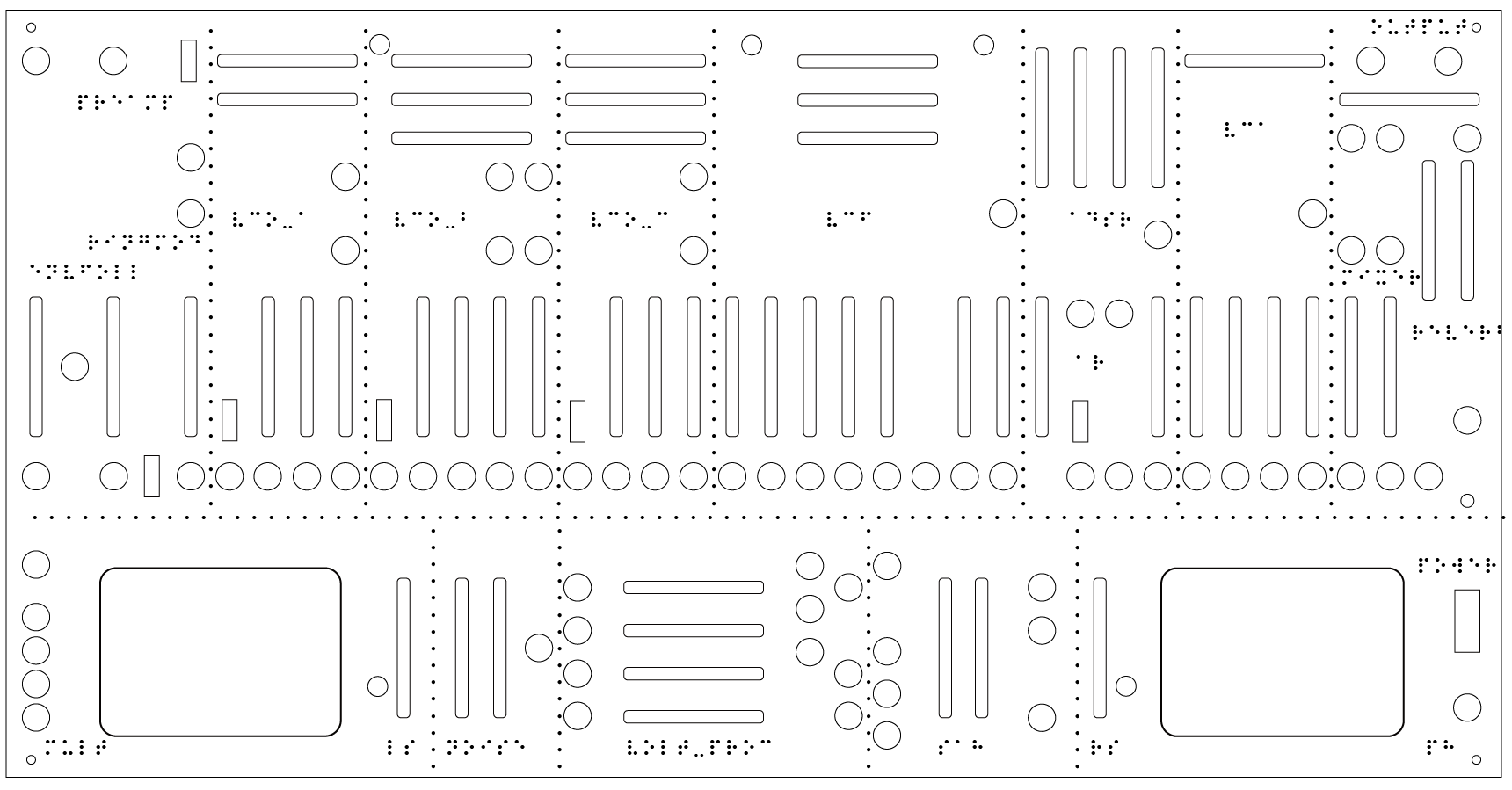
 This image shows the full composite overlay of the TTSH, including interface channels, braille, and dividers:
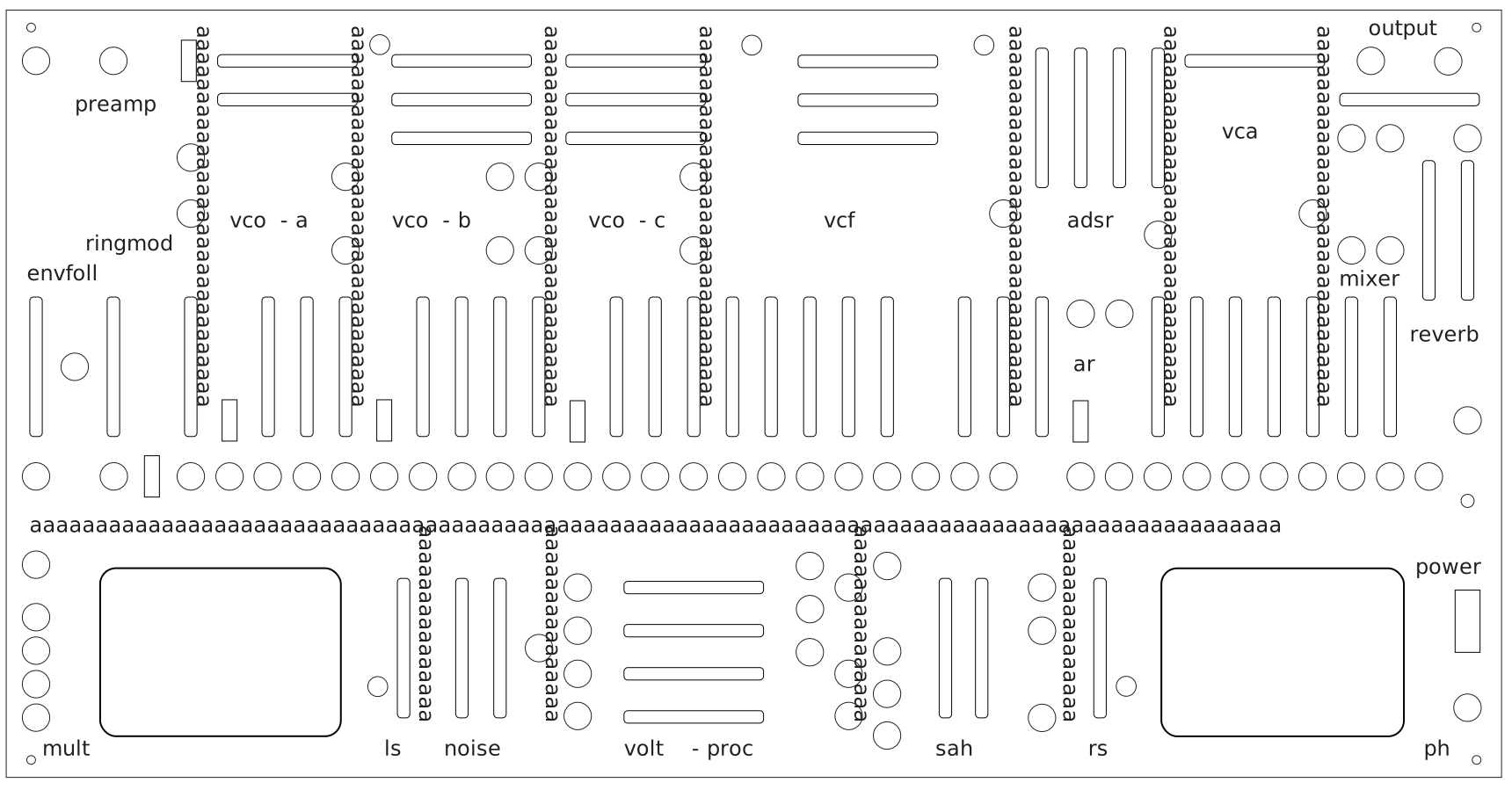
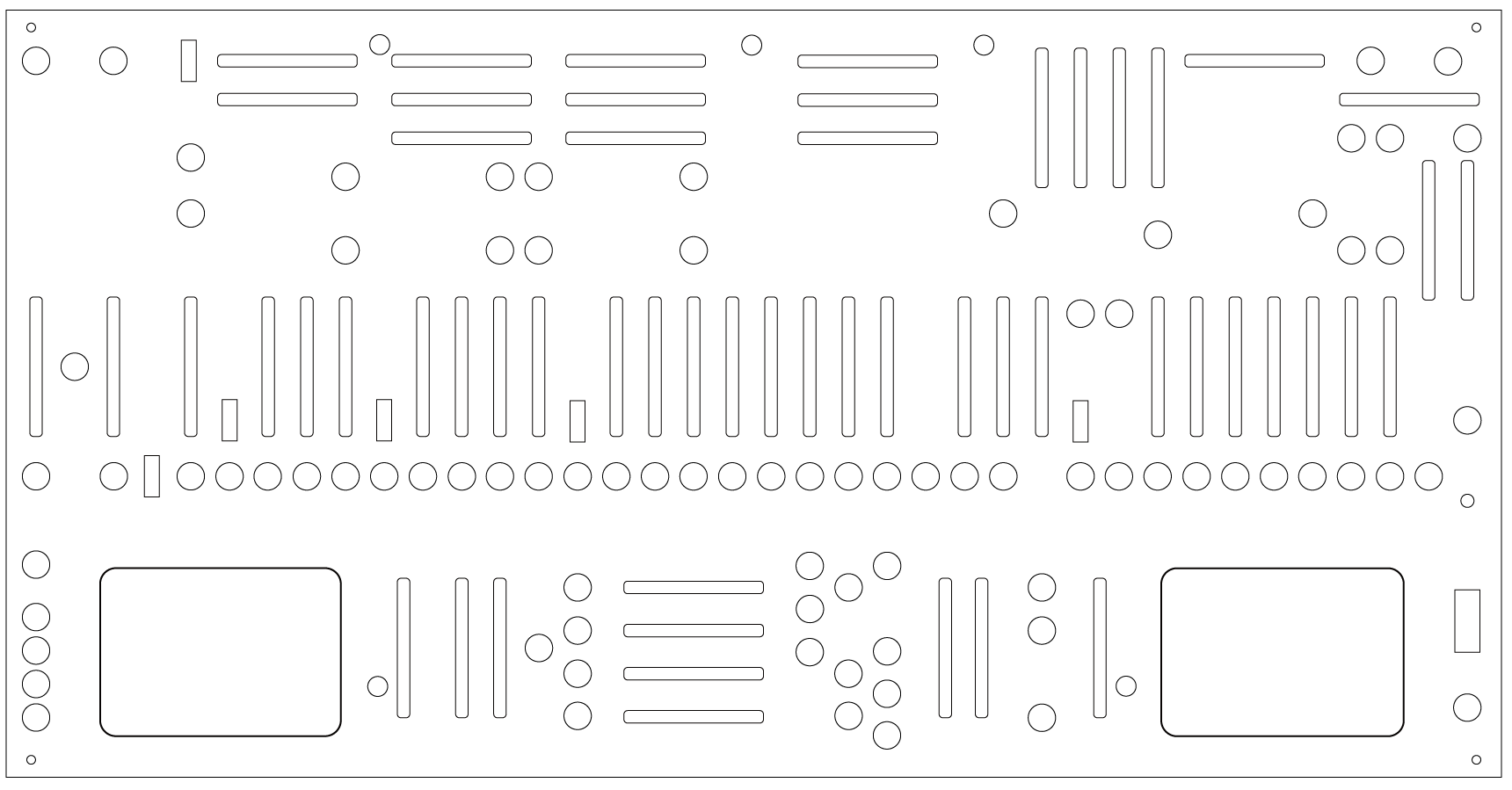
 This is the TTSH interface image used for laser cutting the overlay. Note the smaller circles - those are the front-panel screw points, not modular jacks - we used those to fix the overlay. We removed the knob for the microphone gain and the caps for the slide potentiometers before putting the panel on.
 These are the TTSH braille labels by themselves. You could use a braille labeller to make these.
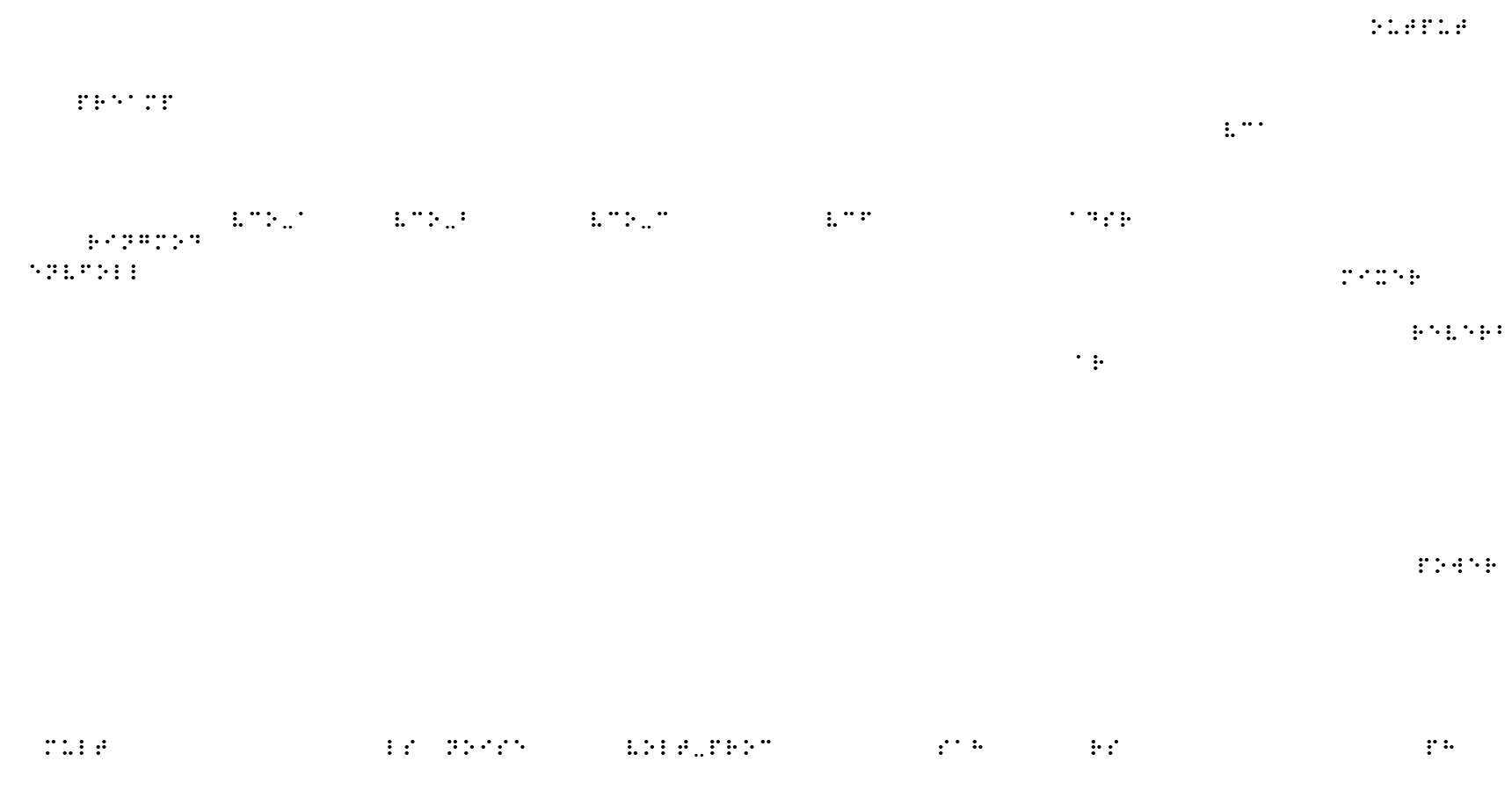 Finally, these show divider labels for the TTSH made using braille dots. You can make a long adhesive line of them, cut them to size with scissors, and apply them to give a tactile sense of the boundaries between the different modules on the synth.
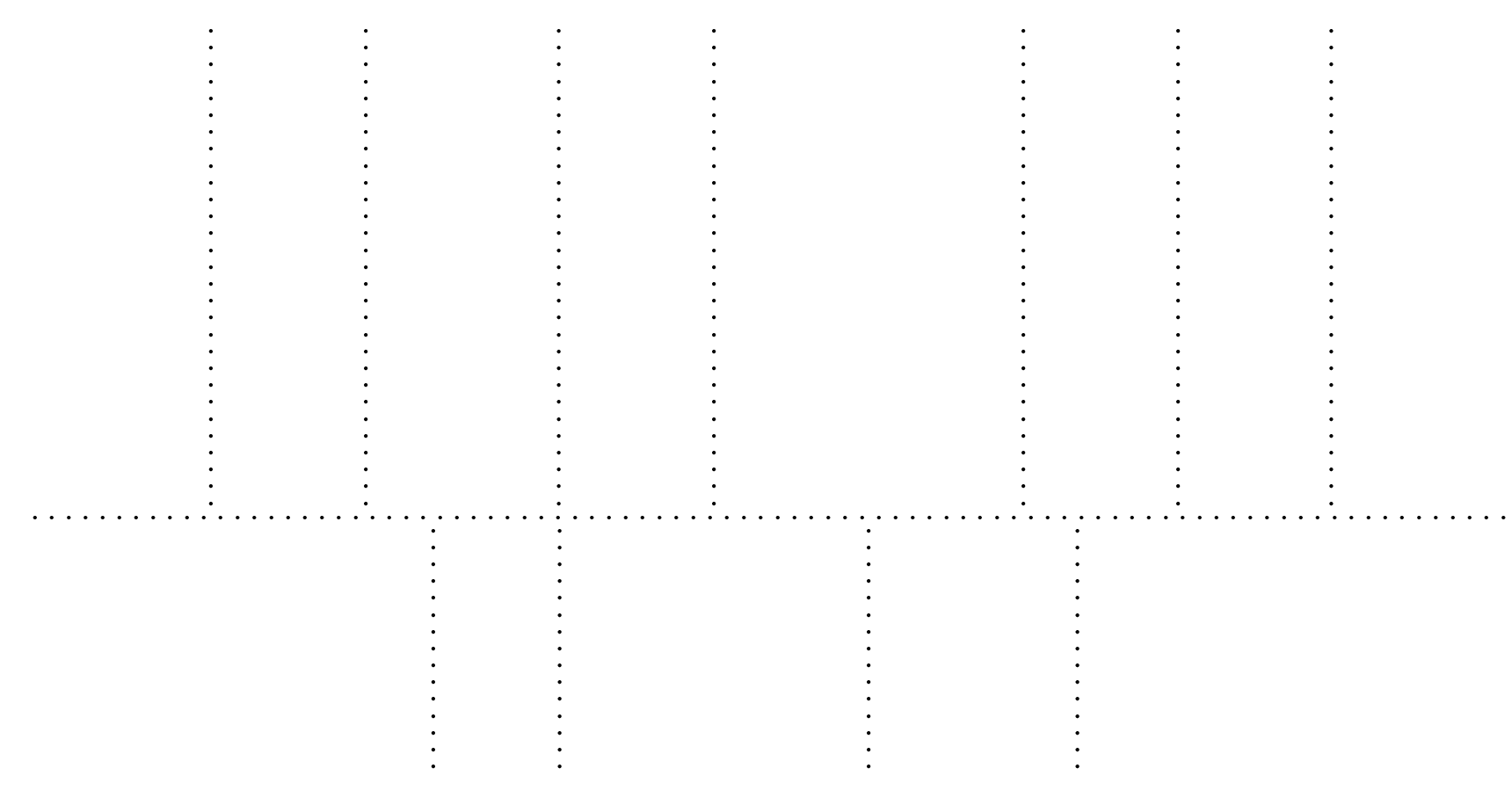
If you would like to contribute to this project or have an overlay file you’ve done, please get in touch.
Suggested Mappings
When designing braille overlays for physical synthesizers, space may be at a premium, so shorhands, abbreviations, contractions, and use of Grade 2 braille will be super useful for labelling things. Below are some suggested mappings for common synthesizer controls if you have space for 2, 3, or 4 braille characters.
As mentioned above, for more high density interfaces, a great solution is to create a tactile guide. The tactileSynths part of this repository will help you get started.
General Synthesizer Terminology
| Label | 2 | 3 | 4 |
|---|---|---|---|
Power |
pr |
pwr |
powr |
Headphones |
ph |
phns |
|
Voltage-Controlled Oscillator |
vo |
vco |
|
Voltage-Controlled Filter |
vf |
vcf |
|
Voltage-Controlled Amplifier |
va |
vca |
|
Low Frequency Oscillator |
lf |
lfo |
|
Sine Wave |
sn |
sine |
|
Triangle Wave |
tr |
tri |
|
Sawtooth Wave |
sa |
saw |
|
Square Wave |
sq |
sqr |
|
Noise Generator |
no |
noi |
|
Attack Release |
ar |
||
Attack Decay Sustain Release |
adsr |
||
Envelope Generator |
eg |
env |
|
Sample and Hold |
sh |
sah |
|
Synchronize |
sy |
syn |
sync |
Envelope Follower |
ef |
efl |
enfl |
Ring Modulator |
rm |
ringm |
ringmd |
Mixer |
mx |
mxr |
mixer |
Frequency |
fr |
frq |
freq |
Filter |
fi |
fil |
fltr |
Low Pass Filter |
lp |
lpf |
|
High Pass Filter |
hp |
hpf |
|
Band Pass Filter |
bp |
bpf |
|
Notch Filter |
nf |
notch |
Serge Modular Names
Serge Modular systems have specific acronyms and abbreviations for canonical modules (as seen in e.g. the 1983 sales catalog) that are short enough to be used as braille labels. A mapping table is below.
1973-75 “Paperface” Modules:
| Module | Label |
|---|---|
| Adapter | ADP |
| Dual Processor | PRC |
| Envelope Generator | ENV |
| Filter | VCF |
| Gate | VCA |
| Negative Slew | NEG |
| Noise Source | NOI |
| Oscillator | VCO |
| Peak & Trough | P&T |
| Preamp | PRE |
| Reverb | RVB |
| Positive Slew | POS |
| Programmer | PRG |
| Ring Modulator | RING |
| Sequencer | SEQ |
| Smooth Function / Stepped Function VC Generator | SSG |
| (Triple) Bi-Directional Router | TBS |
| (Triple) Comparator | COM |
| Triple Waveshaper | TWS |
3rd/4th Generation Modules:
| Module | Label |
|---|---|
| Active Processor | ACPR |
| Analog Shift Register | ASR |
| Control Module | C/M |
| Divide-by-N Comparator | NCOM |
| Dual 3-Input Audio Mixer | MIX |
| Dual Channel Stereo Mixer | DCSM |
| Dual Schmitt Trigger | STR |
| Dual Stereo Panner Channel | PAN |
| Dual Universal Slope Generator | DSG |
| Dual VC Phaser | 2PHA |
| Dual VC Transient Generator | DTG |
| Dual VCA | 2VCA |
| Envelope Detector | ENV |
| Extended ADSR Envelope Generator | ADSR |
| Extended Range VCFQ | VCFX |
| Four Input Stereo Mixer/Panner | MXP |
| Frequency Shifter | FRS |
| Matrix Mixer | MAX |
| Multi-Channel Quadraphonic Mixer | QMX |
| Multi-Channel Stereo Panner | STX |
| N-Voice Controller | NVC |
| New Timbral Oscillator | NTO |
| Pitch and Envelope Follower | PEF |
| Preamp Detector | PRNV |
| Precision VCO | PCO |
| Quad Panner Channel | QPC |
| Quantizer | QUAN |
| Random Source | RS |
| Random Voltage Generator | RVG |
| Resonant Equalizer | EQ |
| Scaling Buffer | BUFF |
| Scaling Processor | SPRC |
| Sequencer Programer | SQP |
| Touch Activated Keyboard Sequencer | TKB |
| Universal Audio Processor | UAP |
| Variable Q VC Filter | VCFQ |
| Variable Bandwidth VC Filter | VCF2 |
| Variable Slope VC Filter | VCFS |
| VC Cross-Fader | XFAD |
| VC Phaser | PHA |
| VC Quadrature Oscillator | QUO |
| VC Wave Multipliers | VCM |
| VC Stereo Mixer | VCSM |
| Wilson Analog Delay | WAD |
Gallery